ثبت نام / ورود
0
ثبت نام / ورود
0
Lisa Sabin-Wilson
#WordPress
#SEO
#Network
#CMS
#Development
The no-nonsense guide to building your own WordPress site
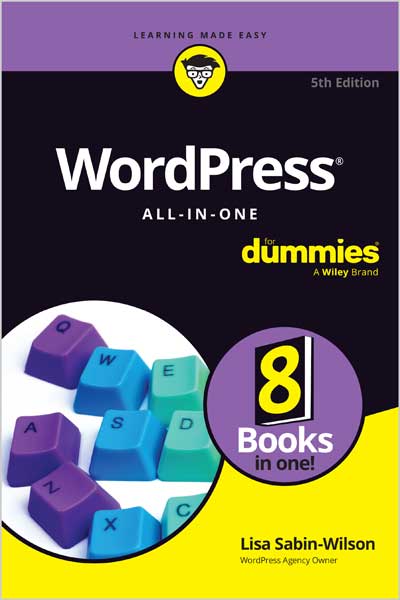
With the help of WordPress All-in-One For Dummies, you can get your first WordPress blog or website set up in no time. Fully updated for the latest WordPress releases, this 8-books-in-1 guide walks you through all the features of this powerful web builder. You’ll discover how to choose and customize a theme, pick the perfect web host and URL, and manage multiple websites with multiple authors. Use WordPress as a content management software (CMS) platform, work with multimedia formats, and add plugins to your site. With state-of-the-art features, WordPress has become the go-to platform for website owners and bloggers who want to be noticed. This beginner-friendly Dummies guide gives you the know-how to make WordPress work for you.
Both WordPress novices and more experienced users looking to dive into new features will love the easy-to-follow instructions and tips in WordPress All-in-One For Dummies.
Get up to speed on the latest WordPress® features!
WordPress® software powers a huge chunk of the Internet. The bestselling WordPress All-in-One For Dummies teaches you how to use this must-know web publishing platform. Get started by installing WordPress and setting up your site. Then, make it do what you want, and do it in style, with customization tips and tutorials. When you’re ready to take it to the next level, this jargon-free book shows you how to beef up your security, use content management features, network multiple sites, and join the ranks of WordPress web builders.
8 Books Inside…
Table of Contents
Book 1 Understanding WordPress Basics
Chapter 1 Exploring Basic WordPress Concepts
Chapter 2 Exploring the World of Open-Source Software
Chapter 3 Understanding Development and Release Cycles
Chapter 4 Meeting the WordPress Community
Chapter 5 Discovering Different Versions of WordPress
Book 2 Setting Up the WordPress Software
Chapter 1 Understanding the System Requirements
Chapter 2 Using Secure File Transfer Protocol
Chapter 3 Installing WordPress on Your Web Server
Chapter 4 Configuring WordPress for Optimum Security
Chapter 5 Updating WordPress
Chapter 6 Backing Up, Packing Up, and Moving to a New Host
Book 3 Exploring the WordPress Dashboard
Chapter 1 Logging in and Taking a Look Around
Chapter 2 Exploring Tools and Settings
Chapter 3 Managing Users and Multiple Authors
Chapter 4 Dealing with Comments and Spam
Chapter 5 Creating Categories and Tags
Book 4 Publishing Your Site with WordPress
Chapter 1 Exploring the WordPress Block Editor
Chapter 2 Writing Your First Post
Chapter 3 Creating a Static Page
Chapter 4 Managing Media
Chapter 5 Embedding Video, Audio, and Other Media
Book 5 Examining Social Media and SEO
Chapter 1 Understanding Analytics
Chapter 2 Monitoring Your Brand on the WordPress Dashboard
Chapter 3 Maximizing Your Site with Search Engine Optimization
Chapter 4 Exploring Popular SEO Plugins
Book 6 Customizing the Look of Your Site
Chapter 1 Finding and Installing WordPress Themes
Chapter 2 Exploring the Site Editor and Block Themes
Chapter 3 Using and Creating Block Patterns
Book 7 Using and Developing Plugins
Chapter 1 Introducing WordPress Plugins
Chapter 2 Installing and Managing Plugins
Chapter 3 Configuring and Using Plugins
Book 8 Running Multiple Sites with WordPress
Chapter 1 Using the Multisite Feature
Chapter 2 Setting Up and Configuring Network Features
Chapter 3 Becoming a Network Admin
Chapter 4 Managing Users and Controlling Access
Chapter 5 Using Network Plugins and Themes
Chapter 6 Using Multiple Domains within Your Network
Lisa Sabin-Wilson is the co-founder and Chief Operating Officer of WebDevStudios, a company specializing in custom WordPress plugins, themes, and deployments. Lisa is a popular conference speaker and bestselling author of WordPress For Dummies, WordPress All-in-One For Dummies, and WordPress Web Design For Dummies.