ثبت نام / ورود
0
ثبت نام / ورود
0
Alan Simpson
#Windows11
#PC
#AI
#For_Dummies
Take control of your Windows 11 experience, the easy way
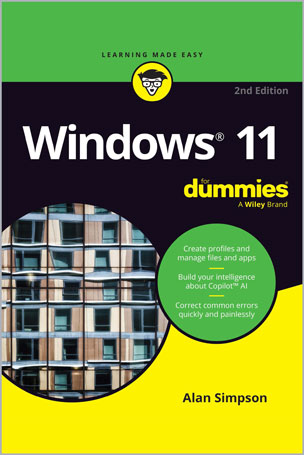
With millions of copies sold over 18 editions, Windows For Dummies is the all-time best selling tech reference―and there’s a reason. Windows 11 For Dummies, 2nd Edition brings you up to speed on the latest version of Windows, so you can make your PC operate the way you need it to with no guesswork. This straightforward and approachable resource helps you keep your PC or laptop humming, helping you do things like create user profiles, get connected to networks, find lost files, make your computer play nice with a printer, and fix the most common Windows hiccups. New Windows users and upgraders alike can swiftly get up and running with Windows 11, thanks to this wildly popular guide.
Even if you have no prior experience with Windows, Windows 11 For Dummies, 2nd Edition is your go-to guide for learning this popular operating system. Intermediate PC users will also find the insider info they need to keep their computers running smoothly and securely.
Table of Contents
Part 1: Getting Started with Windows 11 2024 Update
CHAPTER 1: What Is Windows 11 2024 Update?
CHAPTER 2: Starting with the Start Menu
CHAPTER 3: The Traditional Desktop and Modern AI
CHAPTER 4: Taking Control of Your Desktop
CHAPTER 5: Storing and Organizing Files
Part 2: Working with Apps and Files
CHAPTER 6: Playing with Apps and Documents
CHAPTER 7: Finding the Lost
CHAPTER 8: Printing and Scanning Your Work
Part 3: Doing Things on the Internet
CHAPTER 9: Cruising the Web
CHAPTER 10: Being Social: Email, Chat, and Video Calls
CHAPTER 11: Safe Computing
Part 4: Customizing and Upgrading Windows 11
CHAPTER 12: Customizing Settings in Windows
CHAPTER 13: Keeping Windows from Breaking
CHAPTER 14: Sharing Your Computer
CHAPTER 15: Connecting Computers with a Network
Part 5: Working with Text, Sound, Photos, and Videos
CHAPTER 16: Working with Text
CHAPTER 17: Playing with Pictures
CHAPTER 18: Fiddling with Video and Music
Part 6: Getting Help
CHAPTER 19: The Case of the Broken Window
CHAPTER 20: Getting Strange Messages
CHAPTER 21: Moving from an Old PC to a New Windows 11 PC
CHAPTER 22: Help on the Windows Help System
Part 7: The Part of Tens
CHAPTER 23: Top Ten Tips for Content Creators
CHAPTER 24: Top Ten Tips for Thriving in the Age of AI
Alan Simpson is a veteran tech writer with nearly 40 years of experience covering everything from programming languages to Microsoft operating systems and software. He is the best-selling author of Alan Simpson’s Windows Bible and the co-author of Python All-in-One For Dummies.