ثبت نام / ورود
0
ثبت نام / ورود
0
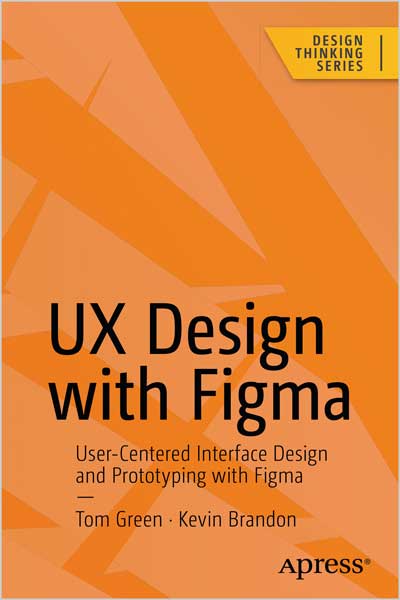
User-Centered Interface Design and Prototyping with Figma
Tom Green, Kevin Brandon
#UX
#UX_Design
#Figma
Maximize Figma’s arsenal of tools and plugins within a team-based collaborative environment and accelerate your company’s decision making. This book will show you where Figma fits into the user experience (UX) design process from documentation to developer handoff.
Since its release as a browser-based design tool in 2016, Figma has fast become the de facto UX Design tool for the industry mainly due to its accessibility and ease of use. As you move through the book you will learn where Figma fits in the UX process. For example, using FigJam (an online whiteboard) for brainstorming, and creating interactive prototypes for mobile devices, tablets, and web sites. You’ll also see how Figma is used to create and integrate with design systems, and how variables, when applied to design system components, can accelerate the design and development workflow.
With the help of step-by-step examples, and using Figma’s tools and templates, you’ll create artifacts such as Flow and Journey diagrams, Personas, and wireframes. From there you will explore other design and interactivity features, and how to prepare a Figma file for handoff to a development team.
This book is your roadmap to utilizing Figma, the industry’s fastest growing collaborative design tool for building meaningful products.
What You Will Learn
Who This Book Is For
Designers, developers, and UX specialists with little-to-no Figma experience who are looking to integrate it within their workflows, and intermediate Figma users who are just starting to become involved in the collaborative UX workflow.
Table of Contents
Chapter 1: Learning the Figma Interface
Chapter 2: Adding Content to Figma Screens
Chapter 3: Figma and the UX Process
Chapter 4: Creating UX Design Documentation
Chapter 5: Building Low-Fidelity Prototypes
Chapter 6: Building Medium- Fidelity Prototypes
Chapter 7: Interactivity Fundamentals
Chapter 8: Microinteractions in Figma
Chapter 9: Design System Fundamentals
Chapter 10: Building Stuff
Chapter 11: Developer Handoff
Tom Green is an Emeritus Professor of Interactive Multimedia through the School of Media Studies and IT at the Humber Institute of Technology and Advanced Education in Toronto, Canada. He has created over a dozen UX-based courses for LinkedIn Learning. One course - UX Design for Non-Designers released 2 years ago - has been completed by over 35,000 learners throughout the world. Tom has written numerous books on UX design for Apress, Que, Pearson Education and New Riders. Along with his work with LinkedIn Learning, Tom has developed video-based training courses for Infinite Skills, Envato, Video2Brain and others. He was the Graphics Software expert with About and has written hundreds of articles and tutorials for a variety of magazines and websites over the past 20 years. Tom has spoken and lectured at conferences around the world and universities throughout China and the US including the University of Wisconsin, the Central Academy of Fine Arts in Beijing, Wuhan Institute of Technology, and Shenzhen Polytechnic. In his spare time, you can catch him hiking a local trail or paddling across a lake in Northern Ontario.
Kevin Brandon started his career in the print industry, then transitioned into web design and user-experience design. After completing a Master of Arts in Professional Communication, he entered higher education as a full-time professor at Humber Institute of Technology and Advanced Learning in Toronto, Canada. Kevin has taught in various programs such as Graphic Design, Advertising, Multimedia and Film & Television. He is an active Adobe Education Leader, collaborating with fellow educators around the world and learning about upcoming technologies. As a consultant Kevin has provided professional development sessions for teachers through Edge Gain Ltd. Kevin is married with three sons. When not at work you can find him enjoying walks with his family and dog.