ثبت نام / ورود
0
ثبت نام / ورود
0
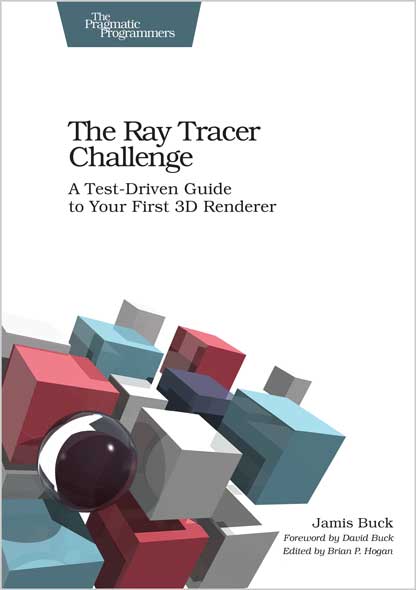
A Test-Driven Guide to Your First 3D Renderer
Jamis Buck
#Ray_Tracer
#Test_Driven
#3D
#3D_Renderer
Brace yourself for a fun challenge: build a photorealistic 3D renderer from scratch! It's easier than you think. In just a couple of weeks, build a ray-tracer that renders beautiful scenes with shadows, reflections, brilliant refraction effects, and subjects composed of various graphics primitives: spheres, cubes, cylinders, triangles, and more. With each chapter, implement another piece of the puzzle and move the renderer that much further forward. Do all of this in whichever language and environment you prefer, and do it entirely test-first, so you know it's correct. Recharge yourself with this project's immense potential for personal exploration, experimentation, and discovery.
The renderer is a ray tracer, which means it simulates the physics of light by tracing the path of light rays around your scene. Each exciting chapter presents a bite-sized piece of the puzzle, building on earlier chapters and setting the stage for later ones. Requirements are given in plain English, which you translate into tests and code. When the project is complete, look back and realize you've built an entire system test-first!
There's no research necessary -- all the necessary formulas and algorithms are presented and illustrated right here. Dive into intriguing topics from fundamental concepts such as vectors and matrices; to the algorithms that simulate the intersection of light rays with spheres, planes, cubes, cylinders, and triangles; to geometric patterns such as checkers and rings. Lighting and shading effects, such as shadows and reflections, make your scenes come to life, and constructive solid geometry (CSG) enables you to combine your graphics primitives in simple ways to produce complex shapes.
Play and experiment as you discover the fun of writing a ray tracer. Accept the challenge today!
What You Need:
Aside from a computer, operating system, and programming environment, you'll need a way to display PPM image files. On Windows, programs like Photoshop will work, or free programs like IrfanView. On Mac, no special software is needed, as Preview can open PPM files.
Who This Book Is For
Ultimately, this book is for anyone who loves writing code, but you’ll get the most out of it if:
• You have prior experience writing software (perhaps a year or more).
• You’ve written unit tests before.
• You like tinkering and experimenting with code and algorithms.
It really doesn’t matter what programming environment or operating system you prefer. The only code in this book is pseudocode. Admittedly, the explanations do tend toward imperative, procedural, and object-oriented languages, but the concepts and tests themselves are translatable to any environment you wish.
Table of Contents
1. Tuples, Points, and Vectors
2. Drawing on a Canvas
3. Matrices
4. Matrix Transformations
5. Ray-Sphere Intersections
6. Light and Shading
7. Making a Scene
8. Shadows
9. Planes
10. Patterns
11. Reflection and Refraction
12. Cubes
13. Cylinders
14. Groups
15. Triangles
16. Constructive Solid Geometry (CSG) .
17. Next Steps
Jamis Buck has been active in open source for years, and has a deep passion for learning. He loves programming puzzles and trying new things, and especially enjoys finding ways to make programming fun again.