ثبت نام / ورود
0
ثبت نام / ورود
0
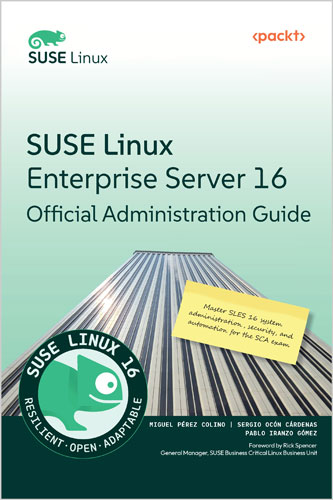
Master SLES 16 system administration, security, and automation for the SCA exam
Miguel Pérez Colino, Sergio Ocón Cárdenas, Pablo Iranzo Gómez
#SUSE_Linux
#Linux
#SCA
#system_administration
#security
#SELinux
#Podman
#BTRFS
#LVM
#NFS
#SSH
#Cockpit
The official SUSE Linux guide to mastering Linux administration. Deploy, secure, and manage SLES 16 servers while preparing for the SCA certification
Mastering enterprise Linux administration can be overwhelming without guidance, especially for those targeting the SUSE Certified Administrator (SCA) certification or managing critical IT infrastructures. This practical guide offers the complete skillset required to confidently operate, secure, and maintain SUSE Linux Enterprise Server (SLES) 16.
Written by senior SUSE product experts, this book helps you deploy physical and cloud systems, configure software and networking, secure services using firewalld and SELinux, and manage storage using BTRFS and LVM. With step-by-step instructions, real-world examples, and detailed chapters on automation with system roles and containers with Podman, you’ll build confidence across core Linux administration topics. You’ll also gain hands-on practice with system snapshots, kernel tuning, and AI with mcphost. It also includes a brief introduction to SLES 4 SAP-specific features. You'll learn how to configure services, harden systems, automate infrastructure with tools like Agama, Cockpit, and System Roles.
This is the only official guide for SLE administrators and engineers, providing trusted insight you will not find anywhere else. By the end, you will be well-equipped to manage SLES systems in enterprise environments and approach the SCA certification with confidence.
This book is for system administrators, platform engineers, DevOps professionals, developers, and certification aspirants looking to strengthen their Linux expertise, prepare for the SUSE Certified Administrator (SCA) exam, and gain practical skills for managing IT infrastructures. It is especially valuable for those working with SAP environments on Linux, where reliability and performance are critical. Prior Linux knowledge isn’t required, but familiarity with basic IT concepts will be helpful.
Table of Contents
Part 1: System Administration: Software, User, Network, and Service Management
Chapter 1: Getting SLES 16 Up and Running (Physical and Cloud)
Chapter 2: Running Basic Commands and Simple Shell Scripts
Chapter 3: Managing Regular Operations with Tools
Chapter 4: Securing the System with Users, Groups, and Permissions
Chapter 5: Enabling Network Connectivity
Chapter 6: Adding, Patching, and Managing Software
Part 2: Security with SSH, SELinux, Firewall, and System Permissions
Chapter 7: Administering Systems Remotely
Chapter 8: Enabling and Using Cockpit
Chapter 9: Securing Network Connectivity with firewalld
Chapter 10: Keeping the System Hardened with SELinux
Part 3: Implementing Agentic AI with mcphost
Chapter 11: Agentic AI with mcphost
Part 4: Resource Administration: Storage, Boot Process, Tuning, and Containers
Chapter 12: Managing Local Storage and Filesystems
Chapter 13: Flexible Storage Management with LVM
Chapter 14: Configuring and Using System Snapshots with BTRFS and Snapper
Chapter 15: Understanding the Boot Process
Chapter 16: Automating with System Roles
Chapter 17: Managing Containers with Podman
Chapter 18: Introduction to SLES for SAP Applications
Part 5: Practice Exercises
Chapter 19: Practice Exercises – 1
Chapter 20: Practice Exercises – 2
Chapter 21: Unlock Your Exclusive Benefits
About the Author
Sergio Ocón Cárdenas has been working in technology since the turn of the century. He has worked in companies of all sizes, from big telecommunications companies to small start-ups, in almost every role possible for an engineer, from R&D to strategy to cold sales. In the last 15 years, he has been working with open source, specifically around systems management, operating systems, and Kubernetes as a sales engineer and a product manager. He currently works as a product manager at SUSE, making the launch of image-based Linux a reality.