ثبت نام / ورود
0
ثبت نام / ورود
0
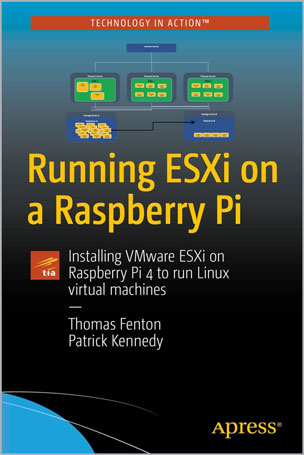
Installing VMware ESXi on Raspberry Pi 4 to run Linux virtual machines
Thomas Fenton, Patrick Kennedy
#Raspberry_Pi
#ESXi
#Linux
#Virtual_machines
#OS
#VMware
#VCSA
Gain foundational knowledge of ESXi technology and understand why it is such a dominant force in the datacenter. This book also looks beyond ESXi to other vSphere technologies, such as virtual machines (VMs), vMotion, and vCenter Server.
Knowing how these technologies complement ESXi running on a Raspberry Pi will help you get the most out of ESXi on Arm technologies. This marks a significant change for ESXi, and has created new learning opportunities and use cases for both seasoned ESXi users and users completely new to the virtualization space. For those already familiar with ESXi but new to the Raspberry Pi, you’ll develop an in-depth understanding of this device and why it has become such a popular platform for technologists.
Once you’ve learned the fundamentals, you’ll be introduced to enterprise, edge, and personal use-cases for this technology. Then, you’ll be walked through the process of installing ESXi on a Pi, as well as managing and monitoring it. You will also come to recognize its strengths and limitations and become familiar with the storage and networking options that are currently available. Lastly, given the fact that the sole purpose of running ESXi on a Pi is to run VMs on it, you’ll receive detailed step-by-step instructions for installing popular OSes including Ubuntu, CentOS, and Raspberry Pi OS.
What You'll Learn
Who This Book Is For
Those new to the datacenter who want a low-cost way to work with one of the most powerful datacenter technologies to experienced datacenter professionals who need to use ESXi on Arm to complement their enterprise’s long-term strategic goals.
Table of Contents
Chapter 1: Setting the Framework for ESXi on Arm on Pi
Chapter 2: ESXi on Arm on Pi and the Post-virtualized Datacenter
Chapter 3: ESXi on Arm on Pi Use Cases
Chapter 4: ESXi on Arm on Pi Build Kits
Chapter 5: Installing ESXi on a Pi
Chapter 6: VMware Host Client
Chapter 7: Local Storage for ESXi
Chapter 8: Virtual Machines on ESXi
Chapter 9: Network Storage Options for ESXi
Chapter 10: Testing Storage Performance
Chapter 11: Virtual Desktop on ESXi
Chapter 12: ESXi Networking
Chapter 13: Managing ESXi Systems with VCSA
Chapter 14: The Future of ESXi on Arm
Tom Fenton has worked with virtualization for over two decades. He’s held staff and senior-level positions at VMware, IBM, ControlUp, and other high-tech companies. He wrote the first training course for Horizon, VMware’s virtual desktop product. He is a frequent contributor to StorageReview.com, Virtualization & Cloud Review magazine, and other blogs and websites. He lives in the Pacific Northwest and enjoys skiing, snowboarding, hiking, and trail riding.