ثبت نام / ورود
0
ثبت نام / ورود
0
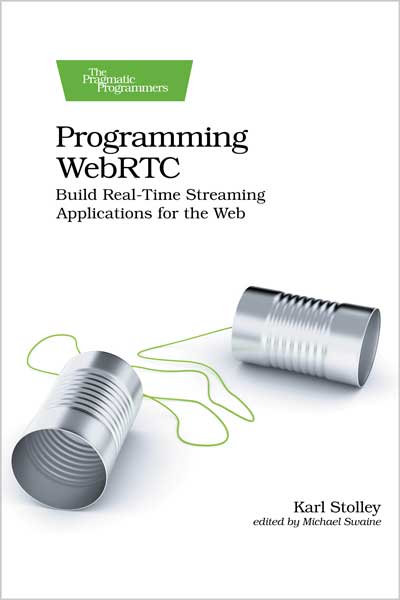
Build Real-Time Streaming Applications for the Web
Karl Stolley
#WebRTC
#Programming
#Web
#CSS
#HTML
#JSON
Build your own video chat application - but that's just the beginning. With WebRTC, you'll create real-time applications to stream any kind of user media and data directly from one browser to another, all built on familiar HTML, CSS, and JavaScript. Power real-time activities like text-based chats, secure peer-to-peer file transfers, collaborative brainstorming sessions - even multiplayer gaming. And you're not limited to two connected users: an entire chapter of the book is devoted to engineering multipeer WebRTC apps that let groups of people communicate in real time. You'll create your own video conferencing app. It's all here.
WebRTC is an API exposed in all modern web browsers. After almost a decade of development, the WebRTC specification was finalized, and this book provides faithful coverage of that finalized specification. You'll start by building a basic but complete WebRTC application for video chatting. Chapter by chapter, you'll refine that app and its core logic to spin up new and exciting WebRTC-powered apps that will have your users sharing all manner of data with one another, all in real time. No third-party libraries or heavy downloads are required for you or your users: you'll be writing and strengthening your knowledge of vanilla JavaScript and native browser APIs.
You'll learn how to directly connect multiple browsers over the open internet using a signaling channel. You will gain familiarity with a whole set of Web APIs whose features bring WebRTC to life: requesting access to users' cameras and microphones; accessing and manipulating arbitrary user files, right in the browser; and web storage for persisting shared data over the life of a WebRTC call. Like any Web API, WebRTC doesn't enjoy a perfect implementation in any browser. But this book will guide you in writing elegant code to the specification, with backward-compatible fallback code for use in almost all modern browsers.
Use WebRTC to build the next generation of web applications that stream media and data in real time, directly from one user to another - all by working in the browser.
What You Need:
Readers need a text editor, an up-to-date copy of Chrome or Firefox, and a POSIX-style command-line shell. They'll also need to install a little bit of open-source software, especially Node.js. All necessary setup is covered in full in the book's introductory chapter.
Table of Contents
1. Preparing a WebRTC Development Environment
Installing Node.js
Downloading the Supporting Code and Installing Dependencies
Serving HTTPS in Development
Choosing a Development Browser
Starting and Stopping the Server
2. Working with a Signaling Channel
Preparing a Basic Peer-to-Peer Interface
Adding Video Elements: Self and Peer
Styling the Core App Elements
Adding Functionality to the Call Button in JavaScript
Positioning WebRTC as a Front-End Technology
Using a Lightweight Signaling Channel
Connecting to the Signaling Channel
3. Establishing a Peer-to-Peer Connection
Requesting User-Media Permissions
Setting Up the Peer Connection
Building Connection Logic to the “Perfect Negotiation” Pattern
Receiving Media Tracks
Testing Out Your First Peer-to-Peer App
4. Handling Data Channels
Adding Basic Visual Effects to User Videos
Determining Peer-Connection States
Applying Filters Remotely with Data Channels
Uniquely Identifying Data Channels
Adding a Text-Chat Feature
Adding Logic to Handle Chat Events
Setting Up the Text-Chat Data Channel
Building a Message Queue
5. Streaming Complex Data
Structuring Chat Messages in JSON
Adding Mic and Camera Toggles
Refining the Initial Properties on Self and Peer
Building A/V Toggles
Sharing Features over Data Channels
Sending Images over the Chat
Sending and Receiving Binary Data
6. Managing Multipeer Connections
Learning from a Failed Peer-to-Peer Call
Working with a Multipeer-Ready Signaling Channel
Revising the Signaling Logic on the Client
Generating Video Structures on the Fly
Initializing Peers as Needed
Fleshing out the Skeletal Signaling Callbacks
Working with Peer IDs in the handleScSignal() Callback
Restructuring WebRTC Callbacks with Closures
Sharing Features over Multipeer Data Channels
7. Managing User Media
Determining Device Availability
Detecting Device Changes
Removing User Media for Remote Peers
Programmatically Recognizing Denied Media Permissions
Setting and Applying Media Constraints Objects
8. Deploying WebRTC Apps to Production
Configuring a WebRTC App for Public Deployment
Configuring a Server to Host Your WebRTC App
Deploying Your App with Git
Monitoring Your App with PM2
Configuring Nginx for Reverse Proxies
Setting Up Your Own STUN/TURN Server
A1. Connection Negotiation in Legacy Browsers
Implementing Backward-Compatible Fixes
Karl Stolley is an associate professor of information technology and management at Illinois Institute of Technology in Chicago. He's been teaching, researching, and practicing web development up and down the stack since the blink tag was still a thing. He's a frequent speaker at national and international conferences, and a routine presenter and participant in professional developer groups and meetups in Chicago.