ثبت نام / ورود
0
ثبت نام / ورود
0
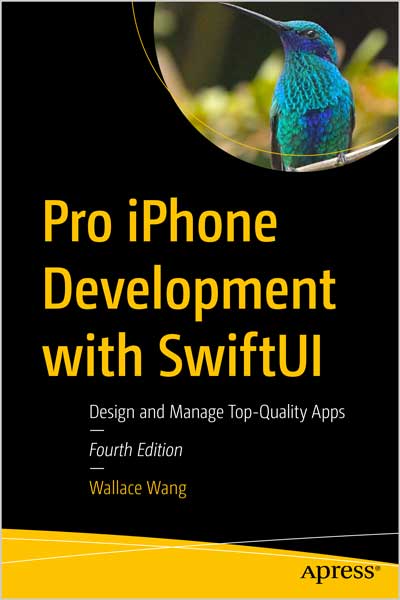
Design and Manage Top-Quality Apps
Wallace Wang
#SwiftUI
#Swift
#iPhone
#iOS
#SpriteKit
#UIKit
You know the basics. Your Swift code flows with logic and ease. This isn't your first time building a workable app for iOS platforms. Now, it's time to build a magical app for iOS platforms! Move beyond what you mastered in the best-selling Beginning iPhone Development with SwiftUI.
This revised and expanded Fourth Edition enlightens you to the world of rich design, solid code, and thoughtful processing needed to make apps that wow. Integrate all these extraordinary iOS features and embrace the world of possibilities in the Swift programming language with SwiftUI. New chapters cover customizing grids, using ViewThatFits, adding search and share links, using SpriteKit, and Developing Tests.
Not only will your apps run like magic under the hood but with the new standard of SwiftUI, you'll add animations, scaling, multiscreen support, and so much more to your interfaces. Debug Swift code, use multi-threaded programming with Grand Central Dispatch, pass data between view controllers, and design apps functional in multiple languages. You’ll also see how to integrate audio and video files in your apps, access the camera and send pictures to and from the Photos library, use location services to pinpoint your user's position on a map, and display web pages in-app.
Don't just stop at flawless code and stickily engaging interfaces. Pro iPhone Development with SwiftUI explains how to give your apps a mind with Apple’s advanced frameworks for machine learning, facial and text recognition, and augmented reality.
What You Will Learn
Who This Book is For
Aspiring iOS app developers familiar with the Apple Swift programming language and/or the iOS SDK, but ready to move to the next level.
Table of Contents
Chapter 1: Organizing Code
Chapter 2: Debugging Code
Chapter 3: Understanding Closures
Chapter 4: Multithreaded Programming Using Grand Central Dispatch
Chapter 5: Understanding Concurrency
Chapter 6: Understanding Data Persistence
Chapter 7: Sharing Data Between Structures
Chapter 8: Translating with Localization
Chapter 9: Displaying Gauges and Progress Views
Chapter 10: Adding Search to an App
Chapter 11: Detecting Motion and Orientation
Chapter 12: Using Location and Maps
Chapter 13: Playing Audio and Video
Chapter 14: Using Speech
Chapter 15: Integrating SwiftUI with UIKit
Chapter 16: Accessing the Photos Library
Chapter 17: Using Machine l earning
Chapter 18: Using Bottom Sheets
Chapter 19: Using ViewThatf its and Anylayout
Chapter 20: Handling Errors
Chapter 21: Odds and Ends
Wallace Wang is a former Windows enthusiast who took one look at Vista and realized that the future of computing belonged to the Mac. He's written more than 40 computer books, including Microsoft Office for Dummies, Beginning Programming for Dummies, Steal This Computer Book, My New Mac, and My New iPad. In addition to programming the Mac and iPhone/iPad, he also performs stand-up comedy, having appeared on A&E s "Evening at the Improv," and having performed in Las Vegas at the Riviera Comedy Club at the Riviera Hotel & Casino. When he’s not writing computer books or performing stand-up comedy, he also enjoys blogging about screenwriting at his site, The 15 Minute Movie Method, where he shares screenwriting tips with other aspiring screenwriters who all share the goal of breaking into Hollywood.