ثبت نام / ورود
0
ثبت نام / ورود
0
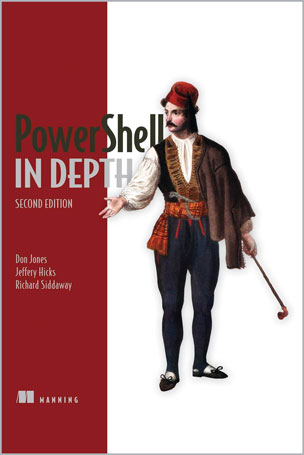
Don Jones, Jeffery Hicks, Richard Siddaway
#PowerShell
#COM
#.NET
#GUI
#WMI
#CIM
#HTML
#XML
Summary
PowerShell in Depth, Second Edition is the go-to reference for administrators working with Windows PowerShell. Every major technique, technology, and tactic is carefully explained and demonstrated, providing a hands-on guide to almost everything an admin would do in the shell. Written by three experienced authors and PowerShell MVPs, this is the PowerShell book you'll keep next to your monitor—not on your bookshelf!
About the Book
A Windows admin using PowerShell every day may not have the time to search the net every time he or she hits a snag. Wouldn't it be great to have a team of seasoned PowerShell experts ready to answer even the toughest questions? That's what you get with this book.
PowerShell in Depth, Second Edition is the go-to reference for administrators working with Windows PowerShell. Every major technique, technology, and tactic is carefully explained and demonstrated, providing a hands-on guide to almost everything an admin would do in the shell. Written by PowerShell MVPs Don Jones, Jeffrey Hicks, and Richard Siddaway, each valuable technique was developed and thoroughly tested, so you'll be able to consistently write production-quality, maintainable scripts while saving hours of time and effort.
This book assumes you know the basics of PowerShell.
What's Inside
Table of Contents
PART 1 POWERSHELL FUNDAMENTALS
1 ■ Introduction
2 ■ PowerShell hosts
3 ■ Using the PowerShell help system
4 ■ The basics of PowerShell syntax
5 ■ Working with PSSnapins and modules
6 ■ Operators
7 ■ Working with objects
8 ■ The PowerShell pipeline
9 ■ Formatting
PART 2 POWERSHELL MANAGEMENT
10 ■ PowerShell Remoting
11 ■ Background jobs and scheduling
12 ■ Working with credentials
13 ■ Regular expressions
14 ■ Working with HTML and XML data
15 ■ PSDrives and PSProviders
16 ■ Variables, arrays, hash tables, and script blocks
17 ■ PowerShell security
18 ■ Advanced PowerShell syntax
PART 3 POWERSHELL SCRIPTING AND AUTOMATION
19 ■ PowerShell’s scripting language
20 ■ Basic scripts and functions
21 ■ Creating objects for ouput
22 ■ Scope
23 ■ PowerShell workflows
24 ■ Advanced syntax for scripts and functions
25 ■ Script modules and manifest modules
26 ■ Custom formatting views
27 ■ Custom type extensions
28 ■ Data language and internationalization
29 ■ Writing help
30 ■ Error handling techniques
31 ■ Debugging tools and techniques
32 ■ Functions that work like cmdlets
33 ■ Tips and tricks for creating reports
PART 4 ADVANCED POWERSHELL
34 ■ Working with the Component Object Model (COM)
35 ■ Working with .NET Framework objects
36 ■ Accessing databases
37 ■ Proxy functions
38 ■ Building a GUI
39 ■ WMI and CIM
40 ■ Working with the web
41 ■ Desired State Configuration
Don Jones is a PowerShell MVP, speaker, and trainer. He developed the Microsoft PowerShell courseware and has taught PowerShell to more than 20,000 IT pros. Don writes the PowerShell column for TechNet Magazine and blogs about PowerShell at PowerShell.com. Ask Don your PowerShell questions at http://bit.ly/AskDon.
Jeffery Hicks is a PowerShell MVP with 20 years of IT experience. Jeff works as an independent consultant, trainer, and author and he has taught PowerShell to IT Professionals all over the world. He writes the popular Prof.PowerShell column for MCPMag.com and is a weekly contributor to the Petri IT Knowledgebase.