ثبت نام / ورود
0
ثبت نام / ورود
0
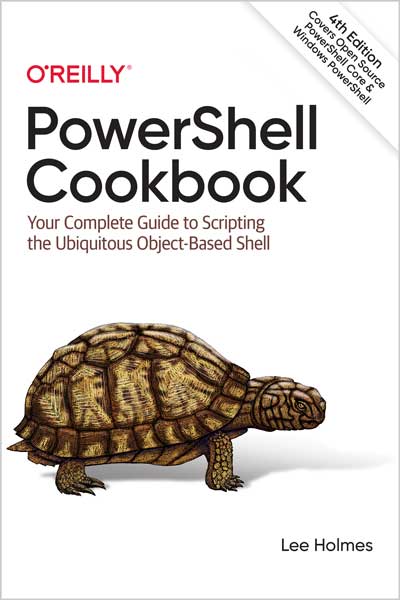
Your Complete Guide to Scripting the Ubiquitous Object-Based Shell
Lee Holmes
#PowerShell
#Cookbook
#Open_Source
#pipeline
#WMI
How do you use PowerShell to navigate the filesystem, manage files and folders, or retrieve a web page? This introduction to the PowerShell language and scripting environment provides more than 400 task-oriented recipes to help you solve all kinds of problems. Intermediate to advanced system administrators will find more than 100 tried-and-tested scripts they can copy and use immediately.
Updated for PowerShell 5.1 and Open Source PowerShell up to 7.0 and beyond, this comprehensive cookbook includes hands-on recipes for common tasks and administrative jobs that you can apply whether you're on the client or server version of Windows. You also get quick references to technologies used in conjunction with PowerShell, including regular expressions, the XPath language, format specifiers, and frequently referenced .NET, COM, and WMI classes.
Complimentary Online Access! As an additional incredible benefit, owners of the PowerShell Cookbook get free, perpetual, searchable, online access to the book at powershellcookbook.com.
Who This Book Is For?
This book helps you use PowerShell to get things done. It contains hundreds of solutions to specific, real-world problems. For systems management, you’ll find plenty of examples that show how to manage the filesystem, the Windows Registry, event logs, processes, and more. For enterprise administration, you’ll find two entire chapters devoted to Windows Management Instrumentation (WMI), Active Directory, and other enterprise-focused tasks.
Along the way, you’ll also learn an enormous amount about PowerShell: its features, its commands, and its scripting language—but most importantly, you’ll solve problems.
What You Need to Use This Book
The majority of this book requires only a working installation of PowerShell. All supported versions of Windows (Windows 7 and beyond, as well as Windows Server 2012 and beyond) include Windows PowerShell by default.
A significant step up from this default installation, however, is the open source PowerShell Core. You can learn more about upgrading to PowerShell Core (or simply PowerShell) in Recipe 1.1.
The Active Directory scripts given in Chapter 26 are most useful when applied to an enterprise environment, but Recipe 26.1 shows how to install additional software (Active Directory Lightweight Directory Services, or Active Directory Application Mode) that lets you run these scripts against a local installation.
"Lee is one of the key forces behind PowerShell, and a cornerstone of the PowerShell community. His pragmatic problem solving approach resulted in many of PowerShell's most successful features. It is this approach that earns this book a place on my desktop and why it should be on every PowerShell user's desktop as well." - Jeffrey Snover, Inventor, PowerShell
"Lee's book fills in one of the biggest gaps in the PowerShell library. While there are many books (including mine) that talk about PowerShell itself, this the first book that really focuses on applying PowerShell, providing a cookbook of practical solutions for real-world problems. This is definitely one of the two books that everyone should have on their shelf." - Bruce Payette, Co-designer of the PowerShell languages and author of Windows PowerShell in Action
"It is very clear that Lee has a profound knowledge of the inner workings of PowerShell beyond that which most of us ever will ourselves. This book is a treasure trove of tips and tricks that are certain to help any IT Support, Systems Administrator, Network Engineer, Cloud Engineer, Security Engineer, and more in taking their PowerShell skills to the next level." - David Frazer, Security Engineer, Segra
"In the PowerShell world, this book is equivalent to Julia Child's 1961 classic, Mastering the Art of French Cooking. You'll want to try and master all recipes." - Aleksandar Nikolić, PowerShell Magazine
Table of Contents
Part I. Tour
A Guided Tour of PowerShell
Part II. Fundamentals
Chapter 1. The PowerShell Interactive Shell
Chapter 2. Pipelines
Chapter 3. Variables and Objects
Chapter 4. Looping and Flow Control
Chapter 5. Strings and Unstructured Text
Chapter 6. Calculations and Math
Chapter 7. Lists, Arrays, and Hashtables
Chapter 8. Utility Tasks
Part III. Common Tasks
Chapter 9. Simple Files
Chapter 10. Structured Files
Chapter 11. Code Reuse
Chapter 12. Internet-Enabled Scripts
Chapter 13. User Interaction
Chapter 14. Debugging
Chapter 15. Tracing and Error Management
Chapter 16. Environmental Awareness
Chapter 17. Extend the Reach of PowerShell
Chapter 18. Security and Script Signing
Chapter 19. Visual Studio Code
Part IV. Administrator Tasks
Chapter 20. Files and Directories
Chapter 21. The Windows Registry
Chapter 22. Comparing Data
Chapter 23. Event Logs
Chapter 24. Processes
Chapter 25. System Services
Chapter 26. Active Directory
Chapter 27. Enterprise Computer Management
Chapter 28. CIM and Windows Management Instrumentation
Chapter 29. Remoting
Chapter 30. Transactions
Chapter 31. Event Handling
Part V. References
Appendix A. PowerShell Language and Environment
Appendix B. Regular Expression Reference
Appendix C. XPath Quick Reference
Appendix D. .NET String Formatting
Appendix E. .NET DateTime Formatting
Appendix F. Selected .NET Classes and Their Uses
Appendix G. WMI Reference
Appendix H. Selected COM Objects and Their Uses
Appendix I. Selected Events and Their Uses
Appendix J. Standard PowerShell Verbs
Lee Holmes is a security architect in Azure Security, an original developer on the PowerShell team, and has been an authoritative source of information about PowerShell since its earliest betas. His vast experience with both world-scale security and operational management--and PowerShell itself--give him the background to integrate both the "how" and the "why" into discussions. You can find him on Twitter (@Lee_Holmes), as well as his personal site (leeholmes.com).