ثبت نام / ورود
0
ثبت نام / ورود
0
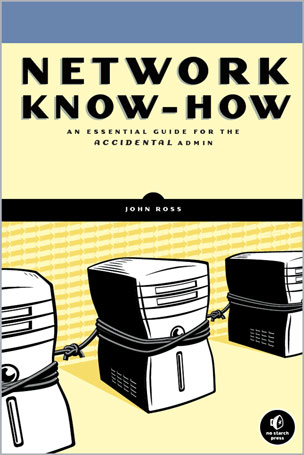
An Essential Guide for the Accidental Admin
John Ross
#Network
#SeNers
#Internet
#Security
🤔 آیا ماشینهای توی دفتر کارت زندگی ایزولهای دارن؟
🏠 چند تا کامپیوتر توی خونه داری که میخوای به همدیگه و به اینترنت وصلشون کنی؟
📂 بهترین راه برای اشتراکگذاری فایلها بین یه گروه از کامپیوترها، ایجاد یه شبکه است.
❓ اما چطور باید این کار رو انجام بدی؟
📘 کتاب دانش شبکه (Network Know-How) راهنمای تو برای وصل کردن ماشینهاته و پر از توصیههای عملیه که بهت نشون میده چطور کارها رو پیش ببری.
🛠 تو زیر و بم راهاندازی، طراحی و نگهداری شبکه رو یاد میگیری؛ از کابلکشی و جایگذاری اکسس پوینتهای وایرلس گرفته تا پیکربندی اشتراکگذاری فایل و پرینت.
🛡 این راهنمای عملی و جامع بهت یاد میده که چطور امنیت رو پیادهسازی کنی، اینترانت بسازی و کلی چیز دیگه.
🎓 تو یاد میگیری که چطور:
🔹 کامپیوترهای ویندوز، مکینتاش و لینوکس رو به هم وصل کنی
🔹 آدرسدهی شبکه رو پیادهسازی کنی
🔹 آداپتورهای شبکه، هابها، سوییچها و روتر خودت رو پیکربندی کنی
🔹 موزیک، عکسها و اسناد رو به اشتراک بذاری
🔹 لوازم خانگی رو اتوماسیون کنی و صدا و تصویر دیجیتال رو روی مرکز سرگرمی خونگی استریم کنی
🔹 کندیها و خرابیهای شبکه رو عیبیابی (Troubleshoot) کنی
💡 مهم نیست از چه سیستمعاملی استفاده میکنی، و حتی اگه قبلاً هیچوقت شبکهای رو نصب یا اجرا نکردی، هر چی که لازم داری بدونی رو توی Network Know-How پیدا میکنی.
📑 فهرست مطالب
۱ چطور یک شبکه زندگی تو رو بهتر میکنه
۲ انواع اتصالات شبکه
۳ هابها، سوییچها و روترها
۴ شبکههای کامپیوتری چطور سازماندهی میشن
۵ طراحی شبکه خودت
۶ نصب مرکز کنترل شبکه و کابلهای اترنت
۷ رابطهای شبکه اترنت
۸ شبکههای وای-فای (Wi-Fi)
۹ فایل سرورها
۱۰ اتصال شبکه به اینترنت
۱۱ اتصال کامپیوتر به یک شبکه
۱۲ اشتراکگذاری فایلها از طریق شبکه
۱۳ امنیت شبکه
۱۴ پرینترها و سایر دستگاهها روی شبکه
۱۵ چیزهای دیگهای که میتونی به شبکه وصل کنی - صدا، تصویر، سرگرمی خانگی و فراتر از آن
۱۶ سایر کاربردهای شبکه
۱۷ عیبیابی
✍️ درباره نویسنده
جان راس به عنوان مشاور در زمینه شبکههای کابلی و وایرلس برای چندین تولیدکننده، از جمله موتورولا و AT&T کار کرده.
اون نویسنده بیش از دو دوجین کتابه، از جمله ابزارهای قدرت اینترنت (Random House)، اتصال با ویندوز (Sybex)، سیمکشی شبکههای خانگی (Sunset Books) و کتاب وایرلس (No Starch Press).
Are the machines in your office living isolated lives?
Do you have a few computers at home that you want to connect to each other and the Internet?
The best way to share files on a group of computers is to create a network.
But how do you do that?
Network Know-How is your guide to connecting your machines, filled with practical advice that will show you how to get things done. You'll learn the nitty-gritty of network setup, design, and maintenance, from running cables and placing wireless access points to configuring file sharing and printing. This practical and comprehensive guide will teach you how to implement security, create intranets, and more. You'll learn how to:
Connect Windows, Macintosh, and Linux computers Implement network addressing Configure your network adapters, hubs, switches, and router Share music, photos, and documents Automate household appliances and stream digital audio and video to your home entertainment center Troubleshoot network slowdowns and failures
No matter which operating system you use, and even if you've never installed or run a network before, you'll get what you need to know in Network Know-How.
Table of Contents
1: How a Network Will Improve Your Life
2: Types of Network Connections
3: Hubs, Switches, and Routers
4: How Computer Networks Are Organized
5: Designing Your Network
6: Installing the Network Control Center and Ethernet Cables
7: Ethernet Network Interfaces
8: Wi-Fi Networks
9: File SeNers
10: Connecting Your Network to the Internet
11: Connecting Your Computer to a Network
12: Sharing Files Through Your Network
13: Network Security
14: Printers and Other Devices on Your Network
15: Other Things You Can Connect to Your Network - Audio, Video, Home Entertainment, and Beyond
16: Other Network Applications
17: Troubleshooting
John Ross has worked as a consultant on wired and wireless networking for several manufacturers, including Motorola and AT&T. He is the author of more than two dozen books, including Internet Power Tools (Random House), Connecting with Windows (Sybex), Wiring Home Networks (Sunset Books), and The Book of Wireless (No Starch Press).