ثبت نام / ورود
0
ثبت نام / ورود
0
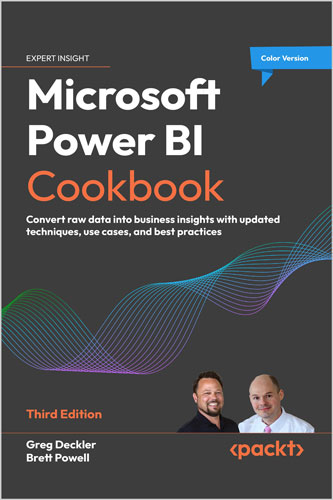
Convert raw data into business insights with updated techniques, use cases, and best practices
Greg Deckler, Brett Powell
#Microsoft
#Power_BI
#Cookbook
#Data
Now in color, this edition helps you unlock the full potential of Power BI with new recipes and comprehensive techniques on advanced data tools and AI
Since its first edition the Power BI Cookbook has been a best-selling resource for BI developers and data analysts to produce impactful, quality BI solutions. This new and updated edition retains the rigorous details and concepts readers of prior editions have enjoyed while also demonstrating powerful new capabilities and updated guidance aligned to the current state of the platform.
In this book, with step-by-step instructions, you will learn to navigate the complexities of data integration and visualization in Power BI. From creating robust data models to implementing sophisticated reporting techniques, this Power BI book empowers you to make informed decisions based on actionable insights. It also introduces you to new capabilities such as Hybrid tables and scorecards, enhancing your ability to communicate and analyze business performance. It also expands and improvises on the core of the previous edition like parameterizing Power BI solutions, authoring reports, data intelligence, and integrating advanced analytics.
This edition not only updates you on the latest features but also prepares you for future innovations with a preview of upcoming AI enhancements in Power BI. Whether you're refining your skills or aspiring to become an expert, this book is an invaluable resource for leveraging Power BI to its fullest potential
This book is designed for data analysts, business intelligence professionals, and anyone involved in data processing or analytics who seeks to enhance their skills with Power BI’s latest features and prepare for future advancements in the field
1. Installing and Licensing Power BI Tools
2. Accessing, Retrieving, and Transforming Data
3. Building a Power BI Semantic Model
4. Authoring Power BI Reports
5. Working in the Power BI Service
6. Getting Serious About Date Intelligence
7. Parameterizing Power BI Solutions
8. Implementing Dynamic User-Based Visibility in Power BI
9. Applying Advanced Analytics and Custom Visuals
10. Enhancing and Optimizing Existing Power BI Solutions
11. Deploying and Distributing Power BI Content
12. Integrating Power BI with Other Applications
13. Working with Premium and Microsoft Fabric
14. Administering and Monitoring Power BI
Greg Deckler is a 7-time Microsoft MVP for Data Platform and an active blogger and Power BI community member, having written over 6,000 solutions to community questions. Greg has authored many books on Power BI, including Learn Power BI 1st and 2nd Editions, DAX Cookbook, Power BI Cookbook 2nd Edition and Mastering Power BI 2nd Edition. Greg has also created several external tools for Power BI and regularly posts video content to his YouTube channels, Microsoft Hates Greg and DAX For Humans.
Brett Powell, I own and operate Frontline Analytics, a data and analytics consulting firm focused on Microsoft business intelligence solution design and development. In 2017 I wrote the Microsoft Power BI Cookbook and in early 2018 I completed my second book, Mastering Microsoft Power BI.
The Power BI Cookbook is a large collection of design and development techniques to derive greater value from Power BI and its related technologies including the DAX and M programming languages. Mastering Microsoft Power BI provides an end-to-end overview of Power BI including project planning, content development, distribution, and administration. Additionally, I'm the co-organizer of the Boston Business Intelligence User Group and I regularly post technical articles on my blog, Insight Quest.