ثبت نام / ورود
0
ثبت نام / ورود
0
Michael Alexander, Dick Kusleika
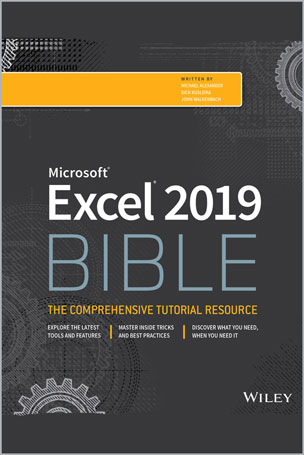
#Microsoft
#Excel
#2019
#BIBLE
The complete guide to Excel 2019
Whether you are just starting out or an Excel novice, the Excel 2019 Bible is your comprehensive, go-to guide for all your Excel 2019 needs. Whether you use Excel at work or at home, you will be guided through the powerful new features and capabilities to take full advantage of what the updated version offers. Learn to incorporate templates, implement formulas, create pivot tables, analyze data, and much more.
Navigate this powerful tool for business, home management, technical work, and much more with the only resource you need, Excel 2019 Bible.
Whether you need a walkthrough tutorial or an easy-to-navigate desk reference, the Excel 2019 Bible has you covered with complete coverage and clear expert guidance.
Table of Contents
Part I: Getting Started with Excel
Chapter 1: Introducing Excel
Chapter 2: Entering and Editing Worksheet Data
Chapter 3: Performing Basic Worksheet Operations
Chapter 4: Working with Excel Ranges and Tables
Chapter 5: Formatting Worksheets
Chapter 6: Understanding Excel Files and Templates
Chapter 7: Printing Your Work
Chapter 8: Customizing the Excel User Interface
Part II: Working with Formulas and Functions
Chapter 9: Introducing Formulas and Functions
Chapter 10: Using Formulas for Common Mathematical Operations
Chapter 11: Using Formulas to Manipulate Text
Chapter 12: Using Formulas with Dates and Times
Chapter 13: Using Formulas for Conditional Analysis
Chapter 14: Using Formulas for Matching and Lookups
Chapter 15: Using Formulas for Financial Analysis
Chapter 16: Using Formulas for Statistical Analysis
Chapter 17: Using Formulas with Tables and Conditional Formatting
Chapter 18: Understanding and Using Array Formulas
Chapter 19: Making Your Formulas Error-Free
Part III: Creating Charts and Other Visualizations
Chapter 20: Getting Started with Excel Charts
Chapter 21: Using Advanced Charting Techniques
Chapter 22: Creating Sparkline Graphics
Chapter 23: Visualizing with Custom Number Formats and Shapes
Chapter 24: Implementing Excel Dashboarding Best Practices
Part IV: Managing and Analyzing Data
Chapter 25: Importing and Cleaning Data
Chapter 26: Using Data Validation
Chapter 27: Creating and Using Worksheet Outlines
Chapter 28: Linking and Consolidating Worksheets
Chapter 29: Introducing PivotTables
Chapter 30: Analyzing Data with PivotTables
Chapter 31: Performing Spreadsheet What-If Analysis
Chapter 32: Analyzing Data Using Goal Seeking and Solver
Chapter 33: Analyzing Data with the Analysis ToolPak
Chapter 34: Protecting Your Work
Part V: Understanding Power Pivot and Power Query
Chapter 35: Introducing Power Pivot
Chapter 36: Working Directly with the Internal Data Model
Chapter 37: Adding Formulas to Power Pivot
Chapter 38: Introducing Power Query
Chapter 39: Transforming Data with Power Query
Chapter 40: Making Queries Work Together
Chapter 41: Enhancing Power Query Productivity
Part VI: Automating Excel
Chapter 42: Introducing Visual Basic for Applications
Chapter 43: Creating Custom Worksheet Functions
Chapter 44: Creating UserForms
Chapter 45: Using UserForm Controls in a Worksheet
Chapter 46: Working with Excel Events
Chapter 47: Seeing Some VBA Examples
Chapter 48: Creating Custom Excel Add-Ins
Michael Alexander is a Microsoft MVP and author of several books on advanced business analysis. He shares his wisdom from more than fifteen years consulting and developing reporting solutions for a variety of industries as the principle contributor at DataPigTechnologies.com, where he offers free video tutorials with the Microsoft Excel and Access communities.
Dick Kusleika is a twelve-time Microsoft Excel MVP and principle contributor at the Daily Dose of Excel blog. John Walkenbach, principal of J-Walk and Associates, Inc., is a leading authority on spreadsheet software and creator of the award-winning Power Utility Pak. He has written more than 50 books including all previous editions of the Excel Bible.