ثبت نام / ورود
0
ثبت نام / ورود
0
#Security
#Windows_Security
#Windows_11
#Windows_server
#Azure
#cyber
#Microsoft_365
#IAM
#Cybersecurity
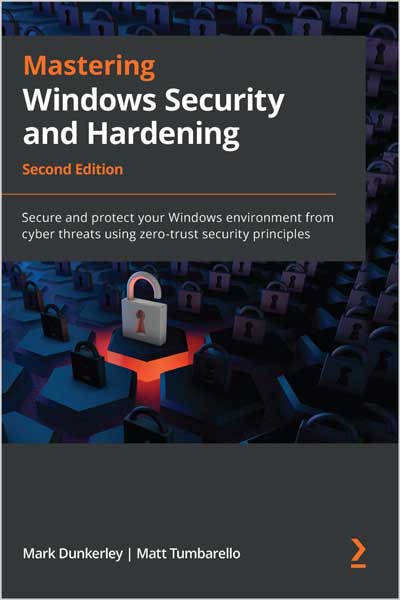
A comprehensive guide to administering and protecting the latest Windows 11 and Windows server operating system from ongoing cyber threats using zero-trust security principles
Are you looking for the most current and effective ways to protect Windows-based systems from being compromised by intruders? This updated second edition is a detailed guide that helps you gain the expertise to implement efficient security measures and create robust defense solutions using modern technologies.
The first part of the book covers security fundamentals with details around building and implementing baseline controls. As you advance, you'll learn how to effectively secure and harden your Windows-based systems through hardware, virtualization, networking, and identity and access management (IAM). The second section will cover administering security controls for Windows clients and servers with remote policy management using Intune, Configuration Manager, Group Policy, Defender for Endpoint, and other Microsoft 365 and Azure cloud security technologies. In the last section, you'll discover how to protect, detect, and respond with security monitoring, reporting, operations, testing, and auditing.
By the end of this book, you'll have developed an understanding of the processes and tools involved in enforcing security controls and implementing zero-trust security principles to protect Windows systems.
If you're a cybersecurity or technology professional, solutions architect, systems engineer, systems administrator, or anyone interested in learning how to secure the latest Windows-based systems, this book is for you. A basic understanding of Windows security concepts, Intune, Configuration Manager, Windows PowerShell, and Microsoft Azure will help you get the best out of this book.
Table of Contents
1. Fundamentals of Windows Security
2. Building a Baseline
3. Hardware and Virtualization
4. Networking Fundamentals for Hardening Windows
S. Ident ity and Access Management
6. Administration and Policy Management
7. Deploying Windows Securely
8. Keeping Your Windows Client Secure
9. Advanced Hardening for Windows Clients
10. Mitigating Common Attack Vectors
11. Server Infrastructure Management
12. Keeping Your Windows Server Secure
13. Security Monitoring and Reporting
14. Security Operations
1 S. Testing and Auditing
16. Top 10 Recommendations and the Future
About the Author
Mark Dunkerley is a cybersecurity and technology leader with over 20 years of experience working in higher education, healthcare, and Fortune 100 companies. Mark has extensive knowledge in IT architecture and cybersecurity through delivering secure technology solutions and services. He has experience in cloud technologies, vulnerability management, vendor risk management, identity and access management, security operations, security testing, awareness and training, application and data security, incident and response management, regulatory and compliance, and more. Mark holds a master's degree in business administration and has received certifications through (ISC)², AirWatch, Microsoft, CompTIA, VMware, AXELOS, Cisco, and EMC. Mark has spoken at multiple events, is a published author, sits on customer advisory boards, has published several case studies, and is featured as one of Security magazine's 2022 Top Cybersecurity Leaders.
Matt Tumbarello is a senior solutions architect. He has extensive experience working with the Microsoft security stack, Azure, Microsoft 365, Intune, Configuration Manager, and virtualization technologies. He also has a background working directly with Fortune 500 executives in a technical enablement role. Matt has published reviews for Azure security products, privileged access management vendors, and mobile threat defense solutions. He also holds several Microsoft certifications.