ثبت نام / ورود
0
ثبت نام / ورود
0
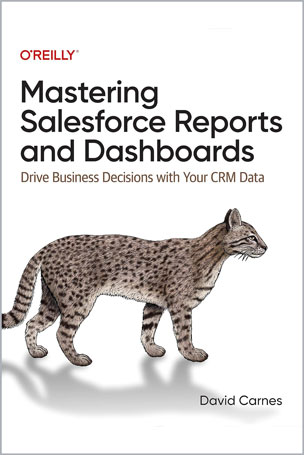
Drive Business Decisions with Your CRM Data
David Carnes
#Salesforce
#Reports
#Dashboards
#Business
#CRM
#Data
Effective, repeatable, and insightful analytics are key to ROI in customer relationship management systems. Many organizations, however, lack the automated reporting tools they need to run their businesses and instead choose to massage the data in Excel. But there's a better way. Salesforce's standard reporting tools provide a rich set of features that, when combined, support a wide variety of analytics needs.
This practical introduction covers all the aspects and features you need to be successful with Salesforce reports and dashboards. Author David Carnes, chairman and chief evangelist for OpFocus, shows executives, end users, and report and dashboard superusers what analytics are possible, which features report writers should ask to be enabled, and which settings and permissions system administrators need to activate.
You'll learn:
Table of Contents
Chapter 1. Introduction to Salesforce Reporting
Chapter 2. First Things First
Chapter 3. Reports
Chapter 4. Creating Reports
Chapter 5. Formulas
Chapter 6. Dashboards
Chapter 7. Building Dashboards
Chapter 8. Report and Dashboard Folders
Chapter 9. Analytics Tab
Chapter 10. Custom Report Types
Chapter 11. Embedded Analytics
Chapter 12. Mobile Analytics
Chapter 13. Trending
Chapter 14. Final Thoughts
David Carnes is Chairman and Chief Evangelist for OpFocus, Inc, a RevOps consulting firm working with SaaS companies across the US and Canada. He is a Salesforce MVP, Boston Salesforce Admin Group Leader, and host of Dashboard Dojo, a twice-monthly Salesforce Report and Dashboard study group. David has served as consultant and instructor on the Salesforce platform since 2005, and maintains 10 Salesforce certifications. He regularly speaks at Salesforce events and user group meetings around the world. David finds time to tinker with Reports and Dashboards daily and loves to share what he learns each day.