ثبت نام / ورود
0
ثبت نام / ورود
0
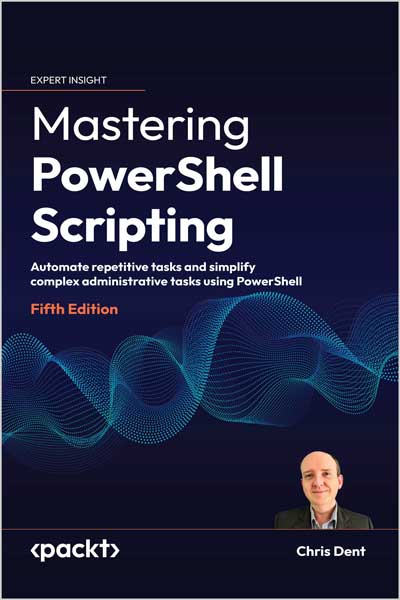
Automate repetitive tasks and simplify complex administrative tasks using PowerShell
Chris Dent
#PowerShell
#XML
#JSON
#CSV
#WMI
#COM
#GUI
#HTML
Use PowerShell to save time and reduce the potential for human error by writing scripts that automate the execution of tasks
Key Features
Book Description
Mastering PowerShell Scripting, Fifth Edition, can help you overcome any fears and become proficient in navigating PowerShell's capabilities. This edition includes new chapters on debugging, troubleshooting, and creating GUIs. You will learn about the latest features of PowerShell 7.3, including working with parameters, objects, and .NET classes. The book covers basic and advanced topics, such as asynchronous processing, desired state configuration, managing large amounts of data, interacting with other services, and working with regular expressions and Windows Management Instrument (WMI). Discover how to efficiently use PowerShell's automation features and error-handling techniques for more complex scripts and filters.
Starting with foundational knowledge, this extensive guide progresses to advanced concepts like using complex scripts and filters, asynchronous processing, desired state configuration, debugging, and error-handling techniques. You will learn how to effectively handle large data sets and interact with external services using PowerShell 7.3. Additionally, you'll discover how to fully utilize PowerShell's automation capabilities, including parsing data, manipulating regular expressions, and working with WMI using various methods.
What you will learn
Who this book is for
This book is for system administrators who want to automate and speed up their processes using PowerShell and Windows PowerShell. You'll need to know the basics of operating systems, but beginners with no prior experience with PowerShell will have no trouble following along.
Table of Contents
Chapter 1: Introduction to PowerShell
Chapter 2: Modules
Chapter 3: Variables, Arrays, and Hashtables
Chapter 4: Working with Objects in PowerShell
Chapter 5: Operators
Chapter 6: Conditional Statements and Loops
Chapter 7: Working with .NET
Chapter 10: Files, Folders, and the Registry
Chapter 11: Windows Management Instrumentation
Chapter 12: Working with HTML, XML, and JSON
Chapter 13: Web Requests and Web Services
Chapter 14: Remoting and Remote Management
Chapter 15: Asynchronous Processing
Chapter 16: Graphical User Interfaces
Chapter 17: Scripts, Functions, and Script Blocks
Chapter 18: Parameters, Validation, and Dynamic Parameters
Chapter 19: Classes and Enumerations
Chapter 21: Testing
Chapter 22: Error Handling
Chapter 23: Debugging
About the Author
Chris Dent is an automation specialist with deep expertise in the PowerShell language. Chris is often found answering questions about PowerShell in both the UK and virtual PowerShell user groups. Chris has been developing in PowerShell since 2007 and has released several modules over the years.