ثبت نام / ورود
0
ثبت نام / ورود
0
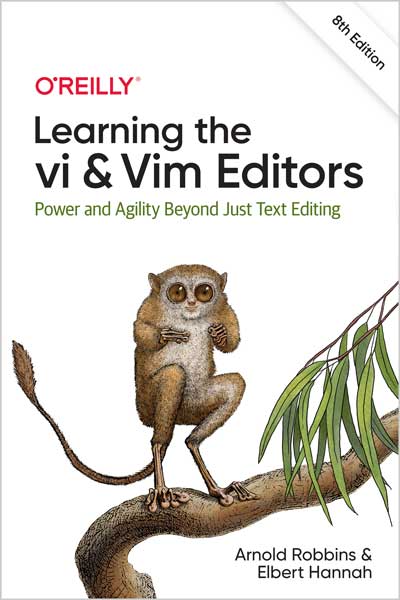
Power and Agility Beyond Just Text Editing
Arnold Robbins, Elbert Hannah
#vi
#Vim
#Unix
#Linux
#GUI
Among the text editors being used in the programming community, perhaps the most important family is vi and its derivatives. With this updated edition, Unix and Linux users will learn text editing basics for both vi and Vim ("vi improved") before moving on to advanced editing tools for each editor. Authors Arnold Robbins and Elbert Hannah cover the latest major releases of Vim, including 8.0 and 8.2.
If you're a programmer or computer analyst, or you work with browsers or command-line interfaces, using Vim can speed up your work and make complex tasks easier. You'll examine multiwindow editing, global search and replacement, and power tools for programmers, and learn how to write interactive macros and scripts to extend the editor--all in the easy-to-follow style that's made this book a classic.
Text editing is one of the most common tasks on any computer system, and vi is one of the most useful standard text editors on a system. With vi you can create new files or edit any existing text-only file.
vi, like many of the classic utilities developed during the early years of Unix, has a reputation for being hard to navigate. Bram Moolenaar’s enhanced clone, Vim (“vi Improved”), has gone a long way toward removing reasons for such impressions. Vim includes countless conveniences, visual guides, and help screens.
Today, Vim is the most popular version of vi, so this eighth edition focuses on Vim as follows:
How the Material Is Presented
Our philosophy is to give you a good overview of what we feel are vi and Vim survival materials for the new user. Learning a new editor, especially an editor with all the options of Vim, can seem like an overwhelming task. We have made an effort to present basic concepts and commands in an easy-to-read and logical manner.
After providing the basics for vi and Vim, which are usable everywhere, we move on to cover Vim in depth. The following sections describe the conventions used in this book.
Discussion of vi Commands
For each keyboard command or group of related commands, you will find a brief introduction to the main concept before it is broken down into task-oriented sections. We then present the appropriate command to use in each case, along with a description of the command and the proper syntax for using it.
Arnold Robbins, an Atlanta native, is a professional programmer and technical author. He has been working with Unix systems since 1980, when he was introduced to a PDP-11 running a version of Sixth Edition Unix. His experience also includes multiple commercial Unix systems, from Sun, IBM, HP and DEC. He has been working with GNU/Linux systems since 1996. Arnold has also been a heavy awk user since 1987, when he became involved with gawk, the GNU project's version of awk. As a member of the POSIX 1003.2 balloting group, he helped shape the POSIX standard for awk. He is currently the maintainer of gawk and its documentation. O'Reilly has been keeping him busy: He is author and/or coauthor of the bestselling titles: Unix In A Nutshell, Effective awk Programming, sed & awk, Classic Shell Scripting, and several pocket references.
Elbert Hannah specializes in integrating technologies. His first job found him writing a full-screen editor in assembler (Intel 8086) in 1983. He implemented many vi-like features like motion-by-object (word, paragraph, etc.). Elbert discovered Unix working for the phone company and built a career integrating disparate systems. He wrote an e-mail platform for IBM’s mainframe ISPF environment by linking ISPF panels to IBM JCL jobs linked to an AT&T connected RJE reader. Today, Elbert works in the Finance industry, again, integrating technologies. Underlying all of his accomplishments was the reliance on the power and agility of the vi text-editing framework.