ثبت نام / ورود
0
ثبت نام / ورود
0
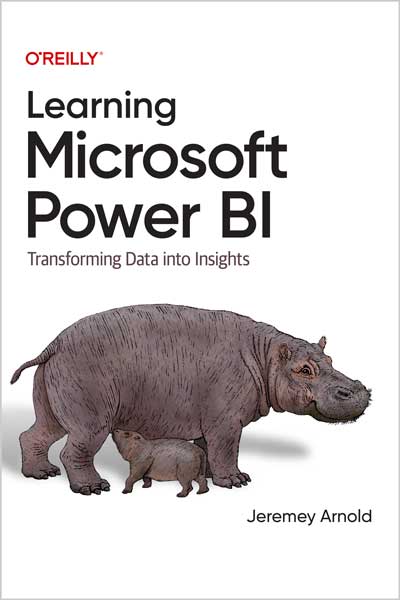
Transforming Data into Insights
Jeremey Arnold
#Microsoft
#Power_BI
#DAX
#Visualizing_Data
Microsoft Power BI is a data analytics and visualization tool powerful enough for the most demanding data scientists, but accessible enough for everyday use for anyone who needs to get more from data. The market has many books designed to train and equip professional data analysts to use Power BI, but few of them make this tool accessible to anyone who wants to get up to speed on their own.
This streamlined intro to Power BI covers all the foundational aspects and features you need to go from "zero to hero" with data and visualizations. Whether you work with large, complex datasets or work in Microsoft Excel, author Jeremey Arnold shows you how to teach yourself Power BI and use it confidently as a regular data analysis and reporting tool.
You'll learn how to:
Table of Contents
Chapter 1. Intro to Power Bl
Chapter 2. The Report and Data Views
Chapter 3. Importing and Modeling Our Data
Chapter 4. Let's Make Some Pictures (Visualizing Data 101)
Chapter 5. Aggregations, Measures, and DAX
Chapter 6. Putting the Puzzle Pieces Together: From Raw Data to Report
Chapter 7. Advanced Reporting Topics in Power Bl
Chapter 8. Introduction to the Power Bl Service
Chapter 9. licensing and Deployment Tips
Chapter 10. Third-Party Tools
Appendix A. Commonly Used DAX Expressions
Appendix B. Some Favorite Custom Visuals
Microsoft’s Power BI platform gives users a tool to aggregate incredibly large amounts of data to discover insights that can give you just as much, if not more, information than those around you. Whether you are using it for personal reasons or as an organization looking to get a competitive edge in the marketplace by making data more meaningful within your company, there has never been a lower-cost entry to data processing with the ease of use of Power BI Desktop.
Microsoft has spent years working with companies all over the world on a technology for complicated data analytics. Power BI is built on that technology, and Microsoft is literally putting all that know-how into your hands. Data is the great equalizer. It’s not just about having more or less of it. It’s about using the data you do have effectively.
Organizations all over the world collect more data than you and I could ever comprehend in a lifetime, and yet they do nothing with it because they have no idea how to use it, and they find themselves losing market share to smaller competitors who are using the data they have effectively. Nonprofits are using Power BI to do data analysis that makes the world a better place to live, on issues from conservation to climate change to healthcare access. Citizen data analysts are using publicly available datasets to uncover financial misbehavior and to double-check results from data provided by organizations and governments around the world. If the ability to process and make data meaningful is truly the great equalizer of the information age, then Power BI is a tool that gives you the ability to sit at a table and look giants in the eye.
You might be an accountant looking to automate complicated data cleaning processes for regulatory purposes and want a tool to quickly visualize profit and loss statements. You might be a citizen data analyst looking for a tool to help crunch millions of records of data for a personal project. You could be a data scientist looking for a tool to accelerate adoption of your work by end users. If you are a person who works with data in any capacity and want to get more out of that data than you ever have, then Power BI is an ecosystem that you should have exposure to.
I wrote this book because, first, I’m super passionate about data being used effectively and I truly believe that everyone in the 21st century can interact with data in some way to improve, either professionally or personally. Second, Power BI has been a vehicle for me to better understand all sorts of important data concepts, and I think those ideas are important to accomplishing that first goal. How do we put data from different sources together? How do we deal with tables that are too large for Microsoft Excel? How do we target specific groups or slices of a group for analysis effectively? How do we visualize those results to make them comprehensible to our audience? My early career was spent deep in the bowels of corporate finance, and if I had Power BI then, I would have saved so much time and heartache in manually manipulating data and doing simple groupings and pivot tables.
Our 21st-century data requires a 21st-century tool to unlock it. I believe Power BI is the best tool to do that. It can store the data. It can analyze the data. It has the reach to be available to anyone who uses Windows. No other data visualization or exploration tool can make that claim, and that’s why I’m excited you’re picking up this book. And I hope you find your data journey as fulfilling as mine has been and continues to be.
About the Author
Jeremey Arnold is the Senior Analytics Architect at Onebridge, a large Data Analytics consulting firm in Indianapolis, Indiana. Jeremey has worked in data analytics for over a decade and has been a Microsoft Power BI user since its release in 2013. His experience covers multiple industries from healthcare, finance, manufacturing, and the public sector, all with a focus on transforming data into insights and enabling truly data-driven environments.