ثبت نام / ورود
0
ثبت نام / ورود
0
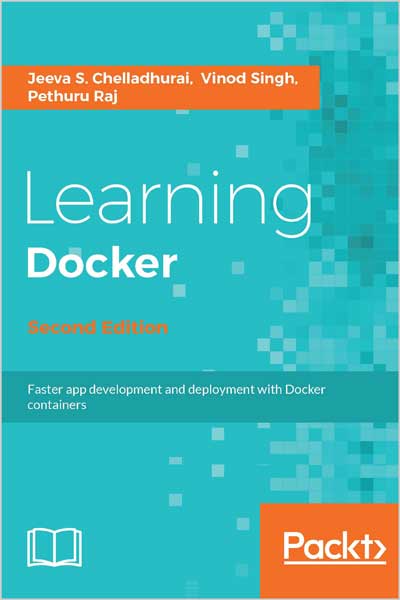
Faster app development and deployment with Docker containers
Jeeva S. Chelladhurai, Vinod Singh, Pethuru Raj
#Docker
#Container
#Apps
#IT
Docker lets you create, deploy, and manage your applications anywhere at anytime – flexibility is key so you can deploy stable, secure, and scalable app containers across a wide variety of platforms and delve into microservices architecture
About This Book
Who This Book Is For
This book is ideal for developers, operations managers, and IT professionals who would like to learn about Docker and use it to build and deploy container-based apps. No prior knowledge of Docker is expected.
What You Will Learn
Table of Contents
Chapter 1: Getting Started with Docker
Chapter 2: Handling Docker Containers
Chapter 3: Building Images
Chapter 4: Publishing Images
Chapter 5: Running Your Private Docker Infrastructure
Chapter 6: Running Services in a Container
Chapter 7: Sharing Data with Containers
Chapter 8: Orchestrating Containers
Chapter 9: Testing with Docker
Chapter 10: Debugging Containers
Chapter 11: Securing Docker Containers
Chapter 12: The Docker Platform - Distinct Capabilities and Use Cases
In Detail
Docker is an open source containerization engine that offers a simple and faster way for developing and running software. Docker containers wrap software in a complete filesystem that contains everything it needs to run, enabling any application to be run anywhere – this flexibily and portabily means that you can run apps in the cloud, on virtual machines, or on dedicated servers.
This book will give you a tour of the new features of Docker and help you get started with Docker by building and deploying a simple application. It will walk you through the commands required to manage Docker images and containers. You’ll be shown how to download new images, run containers, list the containers running on the Docker host, and kill them.
You’ll learn how to leverage Docker’s volumes feature to share data between the Docker host and its containers – this data management feature is also useful for persistent data. This book also covers how to orchestrate containers using Docker compose, debug containers, and secure containers using the AppArmor and SELinux security modules.
Style and approach
This step-by-step guide will walk you through the features and use of Docker, from Docker software installation to the impenetrable security of containers.
About The Authors
Jeeva S. Chelladhurai has been working as a DevOps specialist at the IBM Global Cloud Center of Excellence (CoE) in India for the past 8 years. He has more than 20 years of experience in the IT industry. In various capacities, he has technically managed and mentored diverse teams across the globe in envisaging and building pioneering telecommunication products. He specializes in DevOps and cloud solution delivery, with a focus on data center optimization, Software-defined Environments (SDEs), and distributed application development, deployment, and delivery using the newest Docker technology. Jeeva is also a strong proponent of agile methodologies, DevOps, and IT automation. He holds a master's degree in computer science from Manonmaniam Sundaranar University and a graduate certificate in project management from Boston University. He has been instrumental in crafting reusable assets for IBM solution architects and consultants in Docker-inspired containerization technology.
Vinod Singh held various positions across development, architecture, and engagement with clients throughout his career. Currently, he is a senior cloud architect with IBM's cloud flagship offering Bluemix, supporting customers across the world. Vinod's experience with networking and data communication spans software design, development, and testing. The cloud, cognitive computing, and Linux are his passions, and he feels cognitive computing is once again going to change the world. Vinod is a regular speaker at IBM's internal conferences, IEEE conferences, and technology meetups. Vinod's latest day job revolves around IBM Bluemix, Kubernetes, Docker, IBM Watson and Amazon AWS.