ثبت نام / ورود
0
ثبت نام / ورود
0
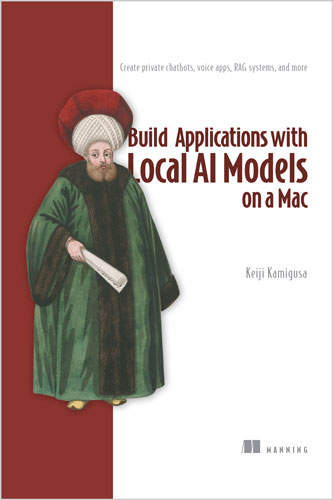
Create private chatbots, voice apps, RAG systems, and more
Keiji Kamigusa
#AI
#Mac
#RAG
#LLM
🍎 هوش مصنوعی روی مک؛ آفلاین، خصوصی و تحت کنترل
💭 «گنجینهای از توصیههای فنی، همراه با ایدههای عملی برای پروژهها و منابع یادگیری.»
— سی. اسکات اندرسون، Garmin International
📘 توضیح کتاب
🔐 اجرای اپلیکیشنهای هوش مصنوعی روی سختافزار محلی، حریم خصوصی را در سطح معماری تضمین میکنه، هزینه اشتراکهای گران و APIها را حذف میکنه و امکان تنظیم مدلها براساس نیازهای دقیق را فراهم میکنه. در کتاب Build Applications with Local AI Models on a Mac، کیجی کامیگوسا قدمبهقدم ساخت یک چتبات مجهز به قابلیت صوتی را آموزش میده؛ چتباتی که روی هر مک جدیدی، از Mac mini معمولی تا Mac Studio ردهبالا، اجرا میشه. با راهاندازی مجموعه سختافزار و نرمافزار اختصاصی، تغییر مهمی در نگاه به هوش مصنوعی تجربه میکنی و از یک مصرفکننده منفعل به معمار سیستمهای AI تبدیل میشی.
🎙️ کتاب از همان ابتدا با یک پروژه عملی شروع میشه که سه فناوری محلی را به هم متصل میکنه: ضبط صدا، تبدیل گفتار به متن و اجرای مدل زبانی برای تولید پاسخ. ابتدا پایههای چتبات را میسازی؛ از کار با خط فرمان و مدیریت پوشهها تا راهاندازی Homebrew بهعنوان Package Manager و دانلود اولین مدل زبانی بزرگ محلی.
⚙️ سپس با ویژگیهایی آشنا میشی که اجرای AI محلی روی مک را متمایز میکنن؛ از جمله معماری حافظه یکپارچه Apple Silicon. همچنین مجموعهای از نرمافزارهای بهینهشده برای مک را بررسی میکنی که شامل مدل تشخیص گفتار MLX Whisper بهینهشده برای سختافزار اپل، با حریم خصوصی کاملاً آفلاین، و یک Pipeline یکپارچه هوش مصنوعی صوتی است که بهصورت بومی روی تراشههای سری M اجرا میشه.
🧠 در ادامه، مفاهیم مشترک میان تمام اپلیکیشنهای AI، مثل تنظیم Temperature، پنجره زمینه یا Context Window و System Promptها را یاد میگیری و بررسی میکنی چطور این مفاهیم با نیازهای محیط محلی مک هماهنگ میشن.
📚 بعد دستیار را با Retrieval-Augmented Generation یا RAG و Agentهای خودمختار گسترش میدی. اسناد را بهصورت محلی در ChromaDB ذخیره میکنی تا پاسخهای AI به منابع واقعی متکی باشن و از تولید اطلاعات ساختگی جلوگیری بشه. همچنین یاد میگیری با فریمورک پایتونی Streamlit، رفتار چتبات را بدون نوشتن Callbackهای پیچیده یا HTML سفارشی کنی.
🛠️ در فصلهای بعدی، بررسی میکنی چطور میزبانی مدلها روی مک، کنترل کامل Workflowها را در اختیار میذاره و زیرساخت را کاملاً خصوصی نگه میداره. با Pipeline انتقال از Unsloth به Ollama برای Fine-Tuning مدلهای پیشرفته روی دادههای اختصاصی آشنا میشی و یاد میگیری مدلهای زبانی بدون حالت یا Stateless را با ثبت و مدیریت صریح تاریخچه مکالمه کنترل کنی.
💭 آرون سیواکومار از Expedia Group درباره این مباحث میگه: «جزئیات مربوط به Context Window و مصرف Token ارزشمند هستن و بسیاری از کاربران LLM به اونها توجه نمیکنن؛ مفاهیمی مثل Fine-Tuning مدلها هم برای استفاده روزمره بسیار کاربردی هستن.»
🗺️ این کتاب در ۱۸ فصل، یک نقشه راه کامل برای هوش مصنوعی محلی ارائه میده. همانطور که سی. اسکات اندرسون از Garmin International اشاره میکنه، مطالب کتاب دقیقاً ابزارهای لازم را فراهم میکنن تا ببینی چطور «مزایای مدلهای متنباز میتونن بر ملاحظات اقتصادی مدلهای اختصاصی غلبه کنن.»
✨ ویژگیهای کلیدی
🎙️ ساخت یک دستیار مجهز به قابلیت صوتی که کاملاً آفلاین کار میکنه.
🔐 حفظ کامل حریم خصوصی دادهها، بدون پرداخت هزینه APIهای ابری.
⚡ استفاده حداکثری از توان سختافزار Apple Silicon.
🧩 کار با Modelfileهای سفارشی، RAG و یکپارچهسازی Agentهای هوش مصنوعی محلی.
👤 این کتاب برای چه کسانیه؟
🎯 برای متخصصان و علاقهمندانی مناسبه که میخوان روی macOS اپلیکیشنهای هوش مصنوعی امن، خصوصی و رایگان بسازن. هیچ تجربه قبلی در برنامهنویسی یا هوش مصنوعی لازم نیست.
📖 فهرست مطالب
بخش اول. قدمهای نخست: ورود به دنیای ترمینال
فصل ۱. شروع کار با هوش مصنوعی محلی
فصل ۲. نصب و استفاده از Homebrew
فصل ۳. نصب و راهاندازی Ollama
بخش دوم. مهارتهای اصلی: ساخت اولین چتبات هوش مصنوعی
فصل ۴. دانلود یک LLM و انجام اولین مکالمه
فصل ۵. راهاندازی VS Code و محیط توسعه پایتون
فصل ۶. ایجاد و مدیریت محیطهای مجازی پایتون
فصل ۷. کنترل LLMها با کتابخانه پایتونی Ollama
فصل ۸. ساخت رابط کاربری وب با Streamlit
فصل ۹. ضبط صدا و تبدیل گفتار به متن با MLX Whisper
فصل ۱۰. ساخت اپلیکیشن چت هوش مصنوعی مجهز به قابلیت صوتی
فصل ۱۱. مدیریت وضعیت نشست و تاریخچه چت
بخش سوم. مباحث پیشرفته: درک عمیقتر و سفارشیسازی
فصل ۱۲. مقایسه و انتخاب مدلهای زبانی بزرگ
فصل ۱۳. System Promptها و تنظیم پارامترها
فصل ۱۴. مدلهای زبانی آفلاین و مزایای آنها
فصل ۱۵. خطاهای رایج و عیبیابی
فصل ۱۶. ورود به RAG، رابط کاربری وب و Fine-Tuning
فصل ۱۷. انقلاب مدلهای باز در سال ۲۰۲۶
فصل ۱۸. مسیر ادامه یادگیری
پیوست A. مرجع دستورات
پیوست B. منابع و مطالب تکمیلی
👤 درباره نویسنده
👨💻 کیجی کامیگوسا از متخصصان برجسته هوش مصنوعی و یادگیری ماشین با بیش از ۱۶ سال تجربه در صنعت است. او پیشتر مدیر ارشد فناوری یک شرکت فعال در حوزه متنکاوی بوده و مدلهای زبانی محلی را برای بیش از ۵۰ شرکت مستقر کرده است.
🎓 او در ۴۲ دوره Udemy به بیش از ۴۲ هزار دانشجو آموزش داده و بیش از ۵۰ کتاب درباره هوش مصنوعی نوشته است.
🏅 کیجی دارنده سه اختراع ثبتشده در حوزه تحلیل متن و بنیانگذار AIGYM Inc. است؛ شرکتی که روی آموزش سازمانی مبتنی بر هوش مصنوعی و پلتفرمهای مدیریت Agentها تمرکز داره.
"A goldmine of technical advice, with actionable project ideas and learning resources.”
—C. Scott Anderson, Garmin International
Running AI applications on local hardware unlocks architecturally guaranteed privacy, eliminates costly subscriptions and API fees, and gives you the power to tune your models to your exact needs. In Build Applications with Local AI Models on a Mac, author Keiji Kamigusa guides you step-by-step as you build a voice-enabled chatbot that will run on any recent Mac—from a basic Mac mini to a top-of-the-line Mac Studio. As you set up your custom hardware and software stack, you’ll experience a powerful paradigm shift that turns you from a passive consumer into an AI architect.
The book draws you in immediately with a hands-on project that connects three local technologies: audio capture, speech transcription, and language model inference. You’ll start by building the foundation of your chatbot, including command-line navigation and directory management, setting up Homebrew as your package manager, and downloading your first local large language model. Then, you’ll quickly review the features that make local AI on the Mac special, such as Apple Silicon’s unified memory architecture. You’ll also meet a Mac-optimized software suite that includes the Apple-optimized MLX Whisper speech recognition model that offers 100% offline privacy and an integrated voice AI pipeline that runs natively on M-series chips.
As you go, you’ll explore universal concepts that apply to all AI applications—such as temperature configuration, context windows, and system prompts—and learn how they map to the specific needs of your local Mac environment. The book then guides you through expanding your assistant with Retrieval-Augmented Generation (RAG) and autonomous agents. You will store documents locally in ChromaDB to ground your AI’s responses and prevent hallucinations. You’ll also learn how to use the Python-based Streamlit framework to customize your chatbot’s behavior without writing complex callbacks or HTML.
In later chapters, you’ll discover how self-hosting models on your Mac provide absolute control over your workflows while keeping your infrastructure completely private. You’ll explore the Unsloth-to-Ollama pipeline to fine-tune frontier models on your custom data and how to manage stateless LLMs by implementing explicit history tracking. Reviewer Arun Sivakumar of Expedia Group noted, “The context window and token consumption are valuable details that many LLM users ignore, and concepts like how to fine tune models are highly relevant for day-to-day usage.”
Spanning 18 chapters, this book provides a complete local AI roadmap. As reviewer C. Scott Anderson of Garmin International points out, this book gives you exactly what you need to see how “the benefits of open-source models can eclipse the economic realities of proprietary models.”
What's inside
• Building a fully offline, voice-enabled assistant
• Completing data privacy with no cloud API fees
• Maximizing Apple Silicon hardware
• Custom Modelfiles, RAG, and local AI agent integration
About the reader
Perfect for professionals and hobbyists who want to build secure, private, and free AI applications on macOS. No prior programming or AI experience required.
Table of Contents
Part 1. First Steps: Entering the World of the Terminal
1. Getting Started with Local AI
2. Installing and Using Homebrew
3. Installing and Setting Up Ollama
Part 2. Core Skills: Building Your First AI Chatbot
4. Downloading an LLM and Having Your First Conversation
5. Setting Up VS Code and Your Python Development Environment
6. Creating and Managing Python Virtual Environments
7. Controlling LLMs with the Ollama Python Library
8. Building a Web UI with Streamlit
9. Recording Audio and Transcribing Speech with MLX Whisper
10. Building a Voice-Enabled AI Chat Application
11. Managing Session State and Chat History
Part 3. Advanced Topics: Deeper Understanding and Customization
12. Comparing and Selecting LLM Models
13. System Prompts and Parameter Tuning
14. Offline LLMs and Their Benefits
15. Common Errors and Troubleshooting
16. Advancing to RAG, Web UI, and Fine-Tuning
17. The Open Model Revolution of 2026
18. Where to Go from Here
Appendix A. Command Reference
Appendix B. References and Additional Resources
About the Author
Keiji Kamigusa is an authority in AI and machine learning with over 16 years of industry experience. A former CTO of a text mining company, he has deployed local language models for 50+ companies, taught 42,000+ students across 42 Udemy courses, and authored more than 50 books on AI. He holds three patents in text analytics and is the founder of AIGYM Inc., which focuses on AI-driven corporate training and agent management platforms.