ثبت نام / ورود
0
ثبت نام / ورود
0
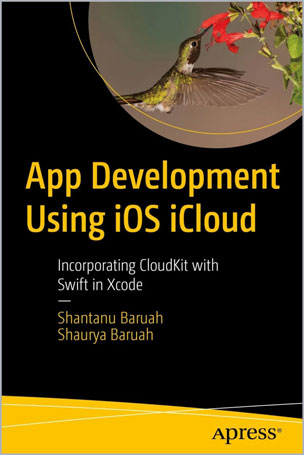
Incorporating CloudKit with Swift in Xcode
Shantanu Baruah, Shaurya Baruah
#iOS
#iCloud
#Xcode
#CloudKit
#UX
Create a professional looking app from start to finish that takes advantage of iCloud technology. Rather than working with Storyboarding for building your UI, you’ll use code to build professional looking screens. Using code is standard for professional developers to fit form factor alignment across multiple screen sizes and other design constraints.
First, you’ll build a basic, functional UX screen. Then you’ll incorporate iCloud with CloudKit for data persistence and private, public, and shared databases. Here your code-drive UI design will expand out to developing professional looking screens with animation. You’ll also learn to work with reminder and notification boxes, sharing data between your users, and adding functionally for interaction with other Apps. Finally, you’ll tackle testing and using Test Flight before publishing your app to the App Store.
This book offers a practical guide for coders at any level who want to learn and create professional looking iOS apps leveraging the database features of iCloud and the numerous extensions that Apple provides in the Xcode environment. Create professional looking apps that are secure and your users will love!
What You'll Learn
Who This Book Is For
iOS developers familiar with the basics of Swift coding who want to work with iCloud databases or move into more advanced fields, such as using extensions or designing UX in code.
Table of Contents
Part I: Basic App Development Using Swift Core Concepts
Chapter 1: Xcode Introduction
Chapter 2: CloudKit Overview
Chapter 3: Core Swift Concepts
Chapter 4: Book Tracker Basic App Building
Chapter 5: Adding Book Screen
Chapter 6: Displaying the Book Records
Chapter 7: Deleting a Table Record
Chapter 8: Searching Data Screen
Chapter 9: App Development Part 2 Overview
Part II: Overview
Chapter 10: Redesigning the Display Screen
Chapter 11: Adding a Book
Chapter 12: Book Details View Controller
Chapter 13: Sharing Book with Other Users
Chapter 14: Edit Book
Chapter 15: Book Delete
Chapter 16: Book Notes
Chapter 17: Book Reminder
Chapter 18: Mark Favorite
Chapter 19: Shared Books Tab
Chapter 20: Search Screen
Chapter 21: Packaging and Releasing
Shantanu Baruah is an Executive Vice President leading new business acquisition in the Life Sciences and Healthcare business at HCL Technologies. With over 21+ years of experience across multiple disciplines, Shantanu has been a pioneer in the fields of healthcare, life sciences, digital, and information technology at HCL Technologies. His leadership has guided delivery, practice building, and development of market-leading solutions to reach new heights. A leader with global exposure, Shantanu has successfully led teams across India, Singapore, France, and the U.S. His technological expertise and innovative leadership qualities have placed him at the forefront of important business acquisitions. Shantanu is an active in the app development community and has an approved app on Apple App Store. He has been recognized as one of the top 25 Healthcare IT Executives of 2020 by The IT Services Report. Shantanu lives in New Jersey. His philanthropic outreach includes education for children in developing nations.
Shaurya Baruah has many interests in a variety of subjects – specifically, he has an interest in Math, Physics, and Computer Science. In his freshman year, he took AP Computer Science A and scored a 4 on the AP exam. Currently, in his sophomore year, he is taking Pre-Calculus Honors, a highly demanding course that is designed in a Problem Based Learning teaching method. He is also taking AP Physics 1, an algebra-based physics course, and Algorithms & Data Structures, a project-based course where students work on large programming projects as a team.